
CTA Button Color: What Actually Moves Enquiries
There is no best CTA button color. Learn what drives clicks on a service homepage: contrast, accessibility, copy and testing, with Singapore examples.

Written by Thiam Hock NgFounder
13 min read
There is no single best CTA button color. The color that wins is the one that stands out most against the rest of your page, passes accessibility contrast checks, and sits next to words that tell a visitor exactly what happens when they click. Red, green, orange and blue have all “won” in someone’s test. None of them wins everywhere.
I see this a lot with service businesses. An owner gets a few hundred visitors a week, enquiries are thin or full of price-shoppers, and the first thing blamed is the button. Sometimes the button does need work. More often it’s a symptom. Below I’ll show you how to choose a color properly, when to stop worrying about it, and what to fix first.
TL;DR
- No color is universally best. Contrast against your page, not hue, is the variable that matters.
- Make your primary button pass at least 4.5:1 for its text and 3:1 against its surroundings, and use that one accent color for your primary action only.
- Pair the color with 2 to 5 words of specific copy. “Get my homepage review” beats “Submit” in any color.
- Test one change at a time. Changing color and copy together tells you nothing.
- If you sell services over $2k, the bigger lever is usually the message and proof around the button, not the button.
Table of Contents
- Why the “best color” answer keeps changing
- How to choose a CTA button color: a practical method
- Color is only half the button: the words matter more
- Where the button sits and how many you use
- How to test button color without fooling yourself
- When button color isn’t your problem
- Our perspective: treat the button as the last step of a decision
- Want a second opinion on your homepage?
- A quick checklist before you ship
- FAQ
- Sources
Why the “best color” answer keeps changing
Search this topic and you’ll find lists ranking red, green, orange, blue and yellow. They contradict each other because they’re measuring different pages.
The most quoted proof is a test where a red button beat a green one by 21%. Poper’s review of 12 years of CTA color tests points out that this HubSpot Performable test is more than a decade old, and that the people who ran it never claimed red is the right color for everyone. It worked on that page, with that design, for that audience.
The reason is simple. On a page built in green tones, a green button disappears and a red one pops. On a page built in warm tones, the reverse can be true. What you’re really testing is contrast, not hue. The same source notes that if you change your page’s overall palette, a previously winning button color is no longer proven.
So stop asking “which color converts?” Ask “which color is unmistakably the most important thing on this page?”
How to choose a CTA button color: a practical method
Here’s the sequence I’d follow on a service homepage.
1. Look at your page in grayscale
Squeeze your eyes, or put the page through a grayscale filter. If you can’t tell where the main button is, color isn’t doing its job. The button should be the highest-contrast filled shape in view.
2. Pick one accent color and reserve it
If your logo is navy and your page is white and light gray, an orange, a saturated teal or a warm red might be your accent. If your brand is already orange, a deep navy button could stand out better. The rule that matters: the accent color is used for your primary action and little else. When links, icons, badges and headings all share the button’s color, nothing is the call to action anymore.
Mailchimp’s guidance on email design makes the same point for buttons in general: a single, bold accent color with short, action-oriented copy removes ambiguity about the next step. It also explains that a CTA has to be visible and stand out from the content around it, which is a contrast job.
3. Check accessibility before you fall in love with a shade
This is where many attractive buttons fail. Light orange with white text looks friendly and is often unreadable for people with low vision.
The rules are public:
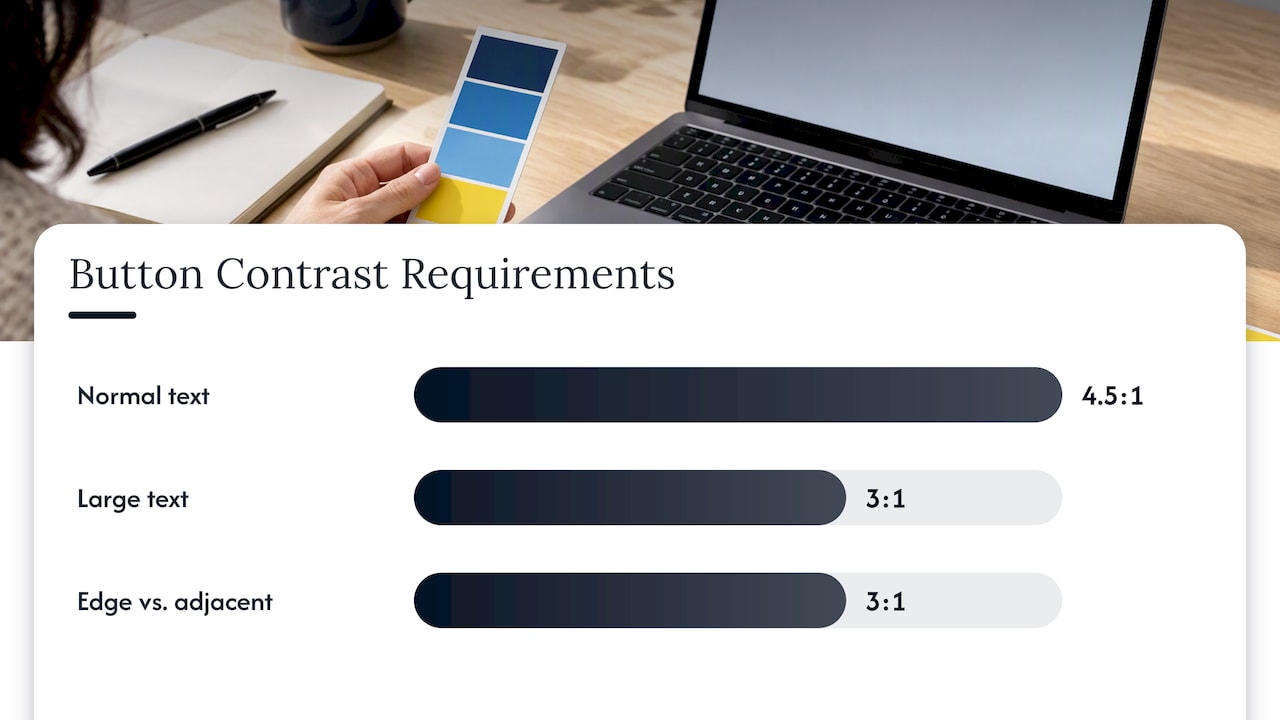
- Text on the button needs a contrast ratio of at least 4.5:1 against the button fill, or 3:1 for large text, per WCAG Success Criterion 1.4.3.
- The button’s edge or fill needs at least 3:1 against what’s next to it, per WCAG 1.4.11 on non-text contrast.
In Singapore this isn’t just theory. The government’s developer portal lists WCAG 2.1 among the standards for government digital services, and the Singapore Government Design System tells designers to give text on buttons, backgrounds and images enough contrast. A private service firm isn’t bound by those rules, but they’re a sensible baseline. Your buyers include people in their fifties and sixties reading on a phone in bright MRT sunlight, and that’s exactly the situation contrast rules exist for.
Practical test: paste your button and text hex codes into any free contrast checker. If you get under 4.5:1, darken the fill or change the text color. You rarely need to change hue to fix it.
4. Make the button look like a button
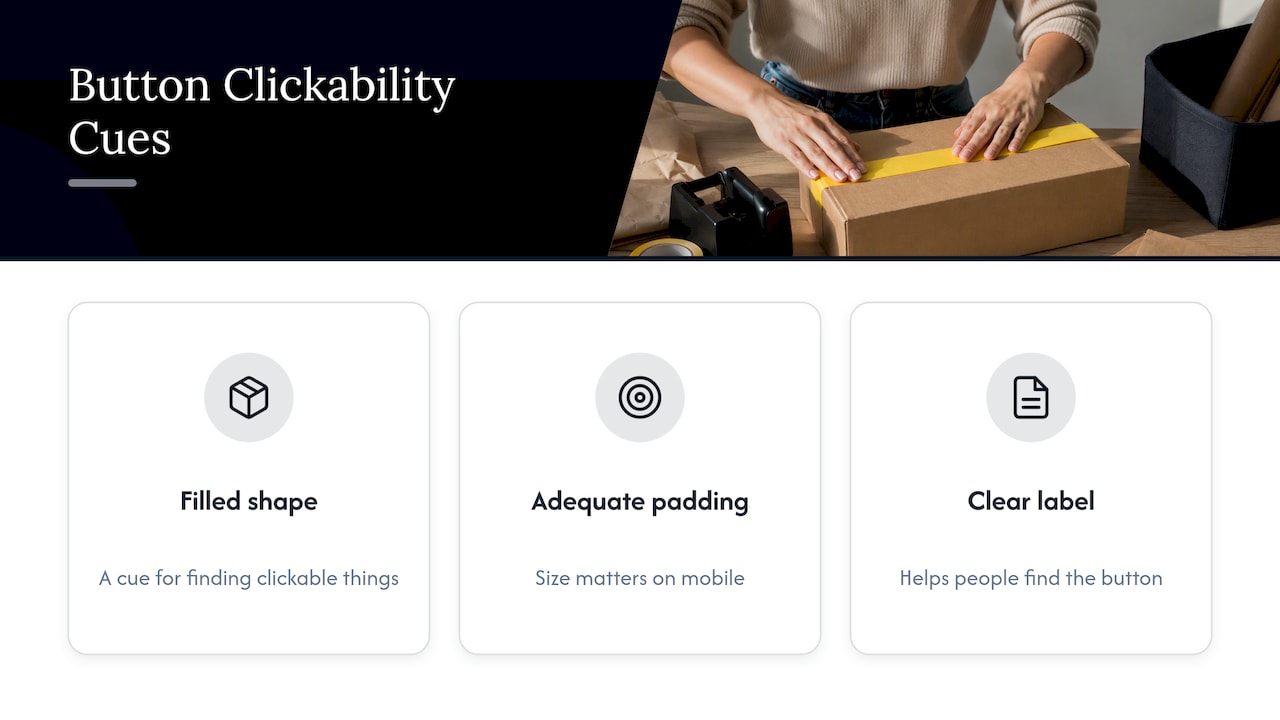
Minimal design trends have stripped away many of the cues people use to find clickable things. A Clemson University student study on clickability cues looks at exactly this problem. It’s a small class project, so treat it as a prompt rather than proof. The takeaway I’d apply is plain: a filled shape, adequate padding and a clear label make the button findable without anyone hunting for it.
On mobile, size matters as much as color. I cover tap targets and code in our guide to fixing service CTAs.
Color is only half the button: the words matter more
Here’s a scenario I run into often. A consultancy has a bright orange button on a clean page. The label says “Submit.” Visitors have no idea what happens next: a call? A sales email? A price list? So they hesitate, and the ones who do click are the least careful ones.
Compare these labels for a service firm:
| Weak label | Stronger label | Why it’s better |
|---|---|---|
| Submit | Request my project quote | Says what the visitor gets |
| Contact us | Book a 20-minute discovery call | Sets the size of the commitment |
| Learn more | See how we handle a typical project | Promises something concrete |
| Get started | Check if we’re a fit | Lowers the pressure, filters for fit |
I go deeper on this in our piece on replacing “Submit” with clearer service buttons. The principle: the label should describe the outcome in the visitor’s words, in roughly two to five words as the Mailchimp guidance suggests.
For firms with price-sensitive leads, label choice does a second job. “Get a free quote” attracts people comparing five quotes by Friday. “Book a scoping call” or “Tell us about your project” attracts people who expect a conversation. Same color, different crowd.
Where the button sits and how many you use
A perfect color in the wrong place is wasted.
- Above the fold: one primary button, visible without scrolling on a phone.
- After proof: repeat it after a case study, testimonial block or results summary, when confidence peaks.
- At the end: the last section should hand the visitor a next step, not a footer.
Keep one primary action per page. If you also need a secondary action, such as “See our process”, make it an outline or text link so the filled accent button stays dominant. Persistent bars can help on mobile, but they have accessibility traps, which we’ve catalogued in our sticky CTA patterns. For phone-specific layout, see our mobile homepage walkthrough.
Once someone does click, the experience continues. If your form or chat opens and nothing tells them what happens next, you’ll leak leads regardless of color. Automated capture can help here, and these lead capture automation examples show what a response flow after the click can look like.
How to test button color without fooling yourself
If you do want to test, do it the way the practitioners do.
- Change one variable. HubSpot’s introduction to A/B testing uses the CTA button color as an example of a control you hold constant while testing the text over it. Keep size, placement and copy fixed when you test color. Many businesses change color and copy together, then can’t say which one did the work.
- Write a hypothesis. For example: “A darker orange fill with a 5:1 text contrast ratio will beat our pale blue button because the pale blue blends into the hero image.”
- Run it long enough. HubSpot’s own list of simple homepage A/B tests starts with CTA buttons, and a test needs enough traffic to mean something.
- Measure the right outcome. Clicks are not enquiries. Track completed enquiries, and ideally the share that are right-fit.
The traffic problem
Most Singapore service firms don’t get the volume that makes button tests reliable. If your homepage gets a few hundred visits a month and converts 1 or 2 of them, a color test could run for many months before showing anything trustworthy. In that case, don’t test color. Fix contrast, clarity and copy using sound practice, then use other methods. Our rundown of message testing methods is built for lower-traffic businesses.
When button color isn’t your problem
A button can only convert interest that already exists. If visitors leave before reaching it, no color rescues you. Here’s how I’d diagnose it:
- Clicks are healthy but enquiries are poor: the label or form is attracting the wrong people. Look at your lead qualification questions.
- Few clicks, high scroll depth: visitors read but aren’t persuaded. The proof or offer is weak.
- Few clicks, low scroll depth: the hero fails. Visitors can’t tell in a few seconds what you do, who it’s for and why you cost what you cost.
- Plenty of enquiries, mostly price questions: your positioning is reading as a commodity. That’s a messaging issue, covered in customer-centric copy for service businesses.
If your site looks polished and still underperforms, this breakdown of why good-looking homepages don’t convert walks through the usual causes.
Our perspective: treat the button as the last step of a decision
We look at homepages as decision systems. A visitor arrives with a question: can I trust this firm, is it for someone like me, and what will it cost me in time and money? The button is the moment they say yes. Color helps them find that moment. It doesn’t create the yes.
When we review service business homepages, the friction usually sits upstream of the button: a vague headline, proof buried three screens down, an offer that doesn’t say who it’s for. Owners then try to compensate with a louder button, and the page attracts more curiosity-clickers and fewer serious buyers. Our approach is to find where visitors hesitate, clarify the positioning, and place the message, proof and call to action in the right order. We do this without a risky redesign, because most pages need a better plan more than a new look.
So our advice on color is boring on purpose. Pick one accent, make it pass contrast, keep it for the primary action, and spend your energy on the words and evidence around it.
— Fadly
Want a second opinion on your homepage?
If your traffic is decent and enquiries aren’t, a button tweak may not be enough. We offer a free website review where we look at where visitors hesitate on your homepage. If you want a full plan, the Homepage Restructure service produces a structured blueprint covering messaging, proof placement and calls to action, with a video walkthrough. The Homepage blueprint is 480 SGD one-off, and you can see the other options on the pricing page.
A quick checklist before you ship
- Button text meets 4.5:1 against its fill (3:1 if the text is large).
- Button fill or border meets 3:1 against the surrounding background.
- The accent color is used for the primary action only.
- The label has two to five words and names the outcome.
- There is one primary button per screen, and a quieter secondary option if needed.
- The tap target is comfortable on a phone.
- You know what a successful click should lead to, and you track completed enquiries, not only clicks.
FAQ
What is the best CTA button color?
There isn’t one. Tests that crown red or green reflect specific pages, and the often-quoted red over green result was never meant as a universal rule. Choose the color that contrasts most with your page and passes accessibility checks.
Should my CTA button match my brand colors?
It should sit comfortably within them, but it must also stand apart. Choose an accent from your palette, or a complementary color, and reserve it for the primary action. If your brand color is used everywhere, the button will blend in.
How much contrast does a CTA button need?
WCAG asks for 4.5:1 for normal text and 3:1 for meaningful non-text elements, which includes button boundaries that identify the control. Passing both makes the button easier for everyone to read, not only people with low vision.
Is it worth A/B testing button color?
Only if you have enough traffic and you change nothing else during the test. With low traffic, you’ll learn more from fixing contrast, copy and proof, then watching enquiry quality. Test color after the basics are right.
Sources
- Does CTA Button Color Actually Matter? Reviewing 12 Years of A/B Tests (Poper)
- How do I create a visually appealing email design? (Mailchimp)
- What is a CTA? (Mailchimp)
- Understanding Success Criterion 1.4.3: Contrast (Minimum) (W3C WAI)
- Understanding Success Criterion 1.4.11: Non-text Contrast (W3C WAI)
- Web Content Accessibility Guidelines (WCAG) 2.1 (Singapore Government Developer Portal)
- Accessibility in Design (Singapore Government Design System)
- Measuring the Impact of Affordance-Based Clickability Cues (Clemson University)
- An Introduction to A/B Testing (HubSpot)
- 7 Dead-Simple A/B Tests You Should Run on Your Homepage (HubSpot)