
Decision Friction: Why Qualified Visitors Stall on Your Site
Decision friction is the doubt that stops interested buyers from enquiring. Learn to spot it on a service homepage and fix it without a redesign.

Written by Thiam Hock NgFounder
16 min read
Decision friction is the hesitation a visitor feels when they are interested but can’t yet tell whether your offer, your price or your firm is right for them. It is not a broken button or a slow page. It is unresolved uncertainty, and on a service homepage it is the most common reason good-fit visitors leave without enquiring.
I see it most with businesses that sell services above $2k. They have traffic. People read the homepage, check the services, maybe even open the contact form. Then nothing happens. This guide explains what decision friction is, how to find it on your own site, and what to change first.
TL;DR
- Decision friction is doubt, not difficulty. Visitors know how to use your site but can’t work out if you are the right choice, so they stall or compare you on price.
- It builds up before the exit. The page where someone leaves is rarely the page that caused the problem.
- For high-ticket services, the aim is not zero friction. Remove pointless effort and keep the questions that help serious buyers qualify themselves.
- Fix messaging, proof and the next step before you touch design. Bigger buttons rarely solve a cognitive stall.
- You can usually find the worst friction in one afternoon with your sales call notes and a fresh pair of eyes.
Table of Contents
- What decision friction actually means
- Why it hits service businesses harder than shops
- Good friction and bad friction
- The signs of decision friction on your site
- What actually causes it
- Why design tweaks rarely fix it
- How to reduce it: a practical sequence
- Worked example: from a vague headline to a clear one
- Our perspective on decision friction
- Getting help finding your friction
- A short checklist to run this week
- FAQ
- Sources
What decision friction actually means
In general business use, friction is any effort that stands between a person’s intent and the outcome they came for. Conversion people usually split it into two kinds. Usability friction is about the interface: too many form fields, a confusing menu, a page that won’t load on a phone. Decision friction is about the choice: the visitor can operate the page perfectly well and still stop because something about the offer, the evidence or the risk isn’t settled in their mind.
The second kind matters far more when you sell a service. Nobody hesitates over how to click “Contact”. They hesitate because they are asking silent questions:
- Do you work with companies like mine?
- What will this cost, roughly, and is that in my range?
- What happens after I enquire? Will I get a sales pitch?
- Why you, and not the three other firms I opened in other tabs?
If the homepage does not answer those, the visitor fills the gap themselves. Often they fill it with “I’ll compare prices first”. That is how a good lead turns into a price-shopper.
You will also see this described as conversion friction or website friction. Those terms are broader and include the mechanical problems. Decision friction is the part you cannot fix with a usability test alone.
Why it hits service businesses harder than shops
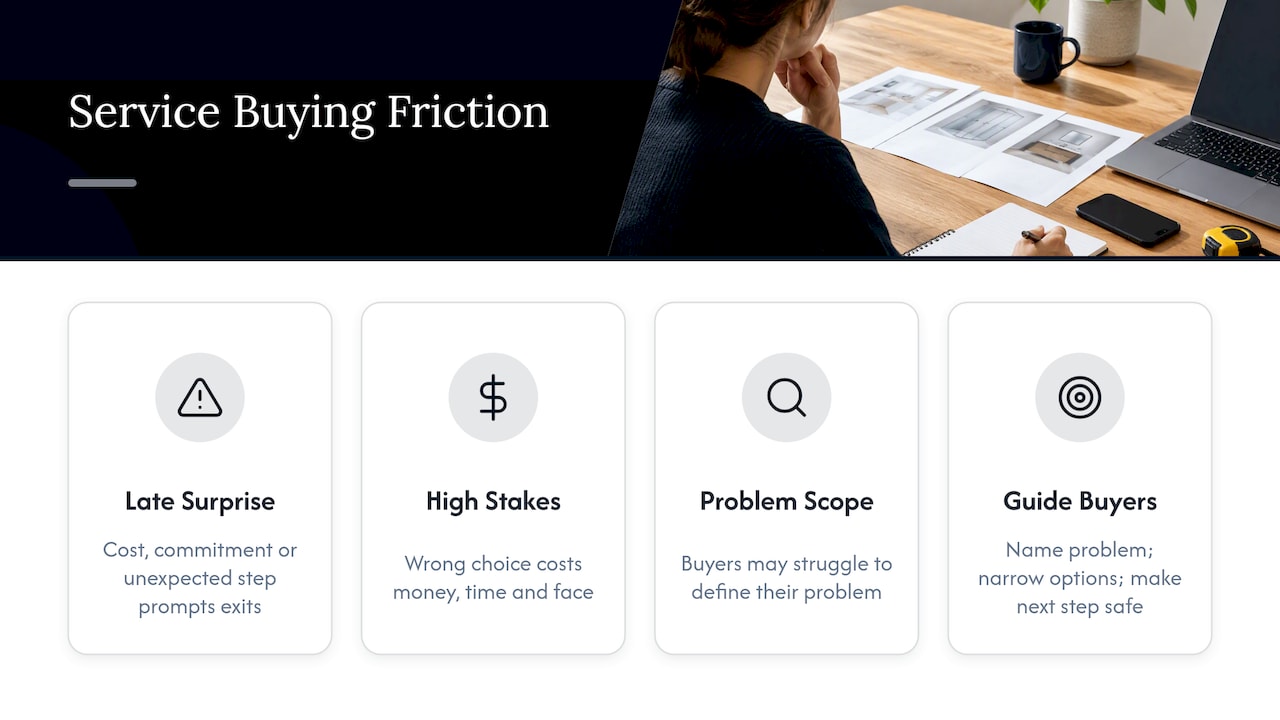
The well-known friction research comes from e-commerce. A Statista chart of US cart abandonment reasons, drawing on Baymard Institute research, puts unexpected extra costs such as shipping, tax and fees at the top, ahead of forced account creation and long checkouts. The lesson translates directly even though your “checkout” is an enquiry form. A surprise late in the process, whether it is a cost, a commitment or a step the visitor didn’t expect, makes people back out.
But a service buyer carries more than a shopper does. When the engagement is worth thousands, a wrong choice costs money, time and sometimes face with a boss or a partner. Researchers studying high-stakes, high-consequence consumer journeys in the Journal of the Academy of Marketing Science found that the main barrier is often the person’s difficulty in defining and scoping their own problem, not usability. That study looked at mental health treatment, so treat it as an analogy rather than a direct finding about B2B services. But the pattern is familiar to anyone who takes sales calls: buyers often arrive unsure what they need, and the firms that win are the ones that guide them.
That gives your homepage a job. It has to do some of what your best salesperson does on a first call: name the problem, narrow the options and make the next step feel safe.
Good friction and bad friction
Here is where I disagree with the “remove all friction” advice you find in most conversion guides. MIT’s executive education team makes a useful distinction in its piece on good friction in customer journeys: good friction helps people understand what they are choosing, while bad friction traps them in opaque processes.
For a premium service, that maps neatly:
| Bad friction | Good friction | |
|---|---|---|
| Pricing | Hiding all cost signals until a call | A clear “typical engagements start at” or a published range |
| Forms | Ten fields asking for things you don’t use | A few questions that tell you budget, timing and goal |
| Messaging | Generic claims anyone could make | Plain statement of who you are for, and who you are not for |
| Next step | Five competing calls to action | One clear step, with what happens after it |
| Proof | Logos with no context | A result from a client similar to the visitor |
Good friction filters. If a price-sensitive visitor reads that your engagements start at a certain level and leaves, that is the system working. You wanted that enquiry to not happen. Bad friction filters the wrong people, such as the serious buyer who had a question the page never answered.
This is why “right-fit enquiries” is a better target than “more enquiries”. We cover that idea in more depth in our guide to lead qualification questions, CRM rules and your homepage.
The signs of decision friction on your site
You will not find it by staring at an overall conversion rate. A low rate tells you there is a problem, not what it is. Look for these patterns instead.
Behavior that signals doubt
- Visitors return to the same page two or three times across several days.
- Time on your pricing or services page is high, but few go on to enquire.
- People start the contact form and abandon it, especially at a field about budget or project details.
- Enquiries arrive with the first question “how much is it?” and nothing else.
A lingering visitor is not a lazy one. It is someone who is interested and still unsure. If your analytics show lots of attention and little action, suspect doubt before you suspect traffic quality.
Clues from your sales calls
Your calls are the best data you have. Read the last ten notes and write down every question the prospect asked in the first five minutes. Then check whether your homepage answers each one above the fold or within one scroll. In my experience, the same four or five questions repeat, and most of them are missing from the site.
Also note the objections: “we were comparing a few quotes”, “we weren’t sure you handle our type of project”, “we wanted to know the process first”. Each one is a friction point that the page can handle before the call.
Don’t blame the page where they left
A common mistake is to assume the page where a visitor exits is the page that caused the problem. Frustration usually accumulates over the steps before. If someone lands on your homepage, clicks through to a service page, and leaves from the contact page, the contact page gets the blame. But the real failure may have been a homepage headline that never said who you serve, so the visitor never built enough confidence to commit. Diagnose the whole path, not the exit.
What actually causes it
Across the service homepages I review, the causes cluster into five groups.
- Vague positioning. “We deliver tailored solutions” fits every firm in your field. A visitor can’t see why you are different, so the decision falls back to price.
- Unclear audience. If the page doesn’t name the kind of client you serve, a qualified visitor can’t tell whether the page is for them.
- Weak or misplaced proof. Testimonials tucked at the bottom of the page, or praise that talks about “great service” rather than outcomes, do not settle risk. Proof should sit next to the claim it supports.
- Too many paths. Four calls to action in the first screen make the visitor choose before they have the information to choose.
- An unclear next step. If people don’t know what happens after they enquire, such as a call, a proposal or a sales sequence, they imagine the worst version.
Notice that none of these is a design problem. A homepage can look beautiful and still have all five.
Trust and data worries count too
In Singapore there is a sixth cause worth checking: doubt about what happens to the information someone submits. The PDPA expects organizations to make reasonable security arrangements for personal data they collect. Beyond the legal duty, a short, plain note beside your form about how you will use the details removes a small but real hesitation. If you are unsure of your obligations, check the PDPC’s guidance or speak to a data protection professional.
Why design tweaks rarely fix it
When conversion stalls, the instinct is to change the visuals: bigger buttons, brighter colors, a new hero image. Sometimes that helps with a usability problem. It does nothing for doubt.
The evidence on behavior change points the same way, with a caveat. A 2022 meta-analysis of 188 field experiments covering more than two million participants found that interventions altering effort were consistently more effective than those targeting intrinsic motivation. It’s a preprint on nudges and sludge, not a study of service websites, so don’t treat it as a recipe. But the principle is useful: what a person has to do, think and work out matters more than how persuasive your copy sounds. Make the decision easier to make, and you don’t need to push.
That is also why a full redesign is a risky answer. It costs a lot, takes months and can change things that worked, all without addressing the question the visitor is actually asking. Fixing messaging, proof order and the next step is a smaller, safer move.
How to reduce it: a practical sequence
Here is the order I would follow on a service homepage.
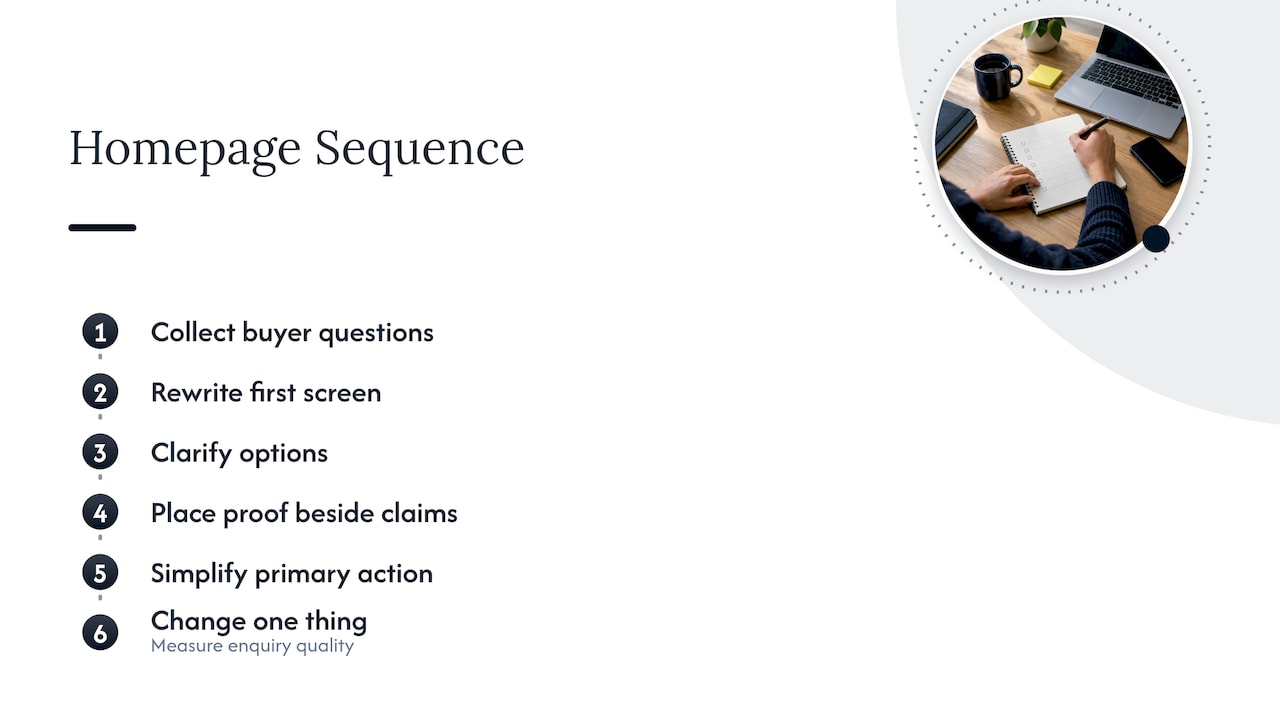
Step 1: Collect the questions
Pull the first-call questions, the objections and the phrases clients use when they describe their problem. Use their words. Voice-of-customer language is more convincing than anything you will write at a desk.
Step 2: Rewrite the first screen
The top of the homepage should tell a qualified visitor three things within a few seconds: who you help, what outcome you deliver, and what to do next. If you can’t say this in two sentences, your positioning needs work before your page does.
Step 3: Give people a way to decide
High-ticket buyers don’t want things frictionless. They want certainty. Research on computer-based decision aids in online contract choices suggests that tools which structure complex options help people decide. For a service firm, the plain-language version is a simple “which option fits you” section, a short comparison of your packages, or a process outline that shows what you do in week one and week four.
Step 4: Place proof where the doubt is
Put a specific result beside the claim it supports. A named outcome from a similar client, a number and a timeframe do more than a wall of logos. For a worked example, see our insurance agent website case study.
Step 5: Reduce the steps to one clear action
Choose one primary call to action and say what follows: “Book a 20-minute call. We’ll reply within one business day.” Cut form fields that you don’t use. Keep the ones that qualify, such as project goal and timing.
Step 6: Change one thing at a time, and measure
If you change the headline, the proof and the call to action together, you will not know which mattered. Testing discipline matters in any channel: this case study on cutting acquisition cost through systematic testing shows the value of isolating variables, even though it comes from creator-led app marketing rather than service websites. For most service firms with modest traffic, a before and after comparison over several weeks, paired with the quality of enquiries rather than just the count, is more realistic than formal A/B tests.
Worked example: from a vague headline to a clear one
Take a hypothetical Singapore accounting and advisory firm. This is an illustration, not a client result.
- Before: “Trusted financial solutions for your business.” Services listed in a grid. Three calls to action. One testimonial at the bottom.
- What the sales notes say: prospects keep asking whether the firm handles regional expansion, how engagements are priced, and what the first month looks like.
- After: The headline names the client (“Finance leadership for Singapore SMEs expanding into Southeast Asia”). A line beneath says engagements typically start at a stated level. One call to action reads “Book a planning call”. A short process strip shows the first 30 days. A result from a similar client sits right under the headline.
Nothing about this needs a new site. It needs clearer decisions about what to say, where to say it and what to show first.
Our perspective on decision friction
We treat a homepage as a decision system, not a brochure. Every section either helps a qualified buyer take the next step or gives a price-shopper a reason to compare on cost alone. Most of the sites we review aren’t failing because of design. They are failing because the page never settles the questions buyers bring with them, and so the buyer settles them with a cheaper quote.
That is why we start with diagnosis. We look at where visitors hesitate, listen to how clients describe their problem in their own words, and then plan messaging, proof and calls to action around those findings. The result is a blueprint your team can implement without gambling on a redesign. We would rather you fix three sentences and one proof point than spend months on a rebuild that leaves the real question unanswered.
We also think the “zero friction” slogan does damage to premium businesses. If you sell a service worth thousands, you want a visitor who deliberates, because that visitor is serious. Your job is to make that deliberation easy and short, not to eliminate it. You can read more about how we think visitors decide on our approach page and on how visitors decide.
— Fadly
Getting help finding your friction
If you would like an outside view, start with our Free Website Review, which looks at where your current site may be pushing good prospects away. If you already know the homepage is the problem, our homepage restructure service produces a structured blueprint with a video walkthrough, covering key messaging, proof placement and calls to action.
Published fixed fees are on our pricing page: 480 SGD one-off for the Homepage blueprint, 680 SGD one-off for Homepage + About, and 2,000 SGD one-off for the Full site. Service Pages and Implementation are quoted separately, and the monthly retainer starts from 1,200 SGD per month. If you want more tips you can use right away, our post on quick wins for right-fit website enquiries is a good next read.
A short checklist to run this week
- List the top five questions from your last ten sales calls.
- Check whether your homepage answers each within one scroll.
- Read your headline aloud. Could a competitor use it unchanged? If yes, rewrite it.
- Count the calls to action in the first screen. Reduce to one.
- Move one specific proof point next to your main claim.
- Add a sentence under your form on what happens after submission.
- Review form fields and remove any you don’t use.
- Record enquiry quality, not only volume, for the next four to six weeks.
FAQ
What is the difference between decision friction and conversion friction?
Conversion friction is the broad term for anything that makes a visitor less likely to complete your goal action, including slow pages and long forms. Decision friction is the part caused by unresolved uncertainty about the offer, the outcome, the proof or the risk. You can have a perfectly usable site and still have high decision friction.
How do I know if my website has decision friction?
Look for visitors who return repeatedly, linger on pricing or service pages, or abandon your form without a technical fault. Then compare your homepage with the questions prospects ask in sales calls. If the page leaves the common questions unanswered, you have found your friction.
Should I remove all friction from my enquiry process?
Not for high-ticket services. Remove the effort that adds nothing, such as unused form fields and unclear steps. Keep the questions that help serious buyers qualify themselves and help you respond well, because they protect you from poor-fit enquiries.
Do I need a redesign to reduce friction?
Usually not. Most decision friction comes from unclear positioning, weak proof placement and competing calls to action, all of which you can fix by restructuring the content and messaging of the existing homepage. A redesign is worth considering only if the platform itself stops you from making those changes.
Sources
- Statista: US cart abandonment reasons 2025
- Journal of the Academy of Marketing Science: the turbulent consumer journey
- MIT Executive Education: good friction in your customer journeys
- OneService: privacy and PDPA reference
- A meta-analytic cognitive framework of nudge and sludge
- Frontiers in Psychology: computer-based decision aids
- Cult Media: cutting CAC with systematic UGC testing