4 Questions to Ask Before Publishing Website Pricing
Four questions help service businesses decide whether to publish website pricing, plus display formats, pricing page essentials, and homepage fixes.
For most repeatable service businesses, publish representative pricing to filter leads and win more right-fit enquiries. Price signals do real work before a prospect ever picks up the phone: they set expectations, screen out mismatched budgets, and position you before you’ve said a word. If your services vary wildly or you need every negotiation lever you can get, contact-for-quote can still make sense.
TL;DR:
- Publishing a range or an example package paired with outcomes helps prospects self-qualify and reduces unnecessary discovery calls.
- Clear scope, multiple call-to-action options, and proof points are essential on a pricing page to convert right-fit prospects and avoid scope creep.
- Stale or unexplained prices can lead to distrust and comparison shopping, so regular updates and providing context are crucial.
- Displaying prices is more effective when service standardization and lead volume conditions are met, allowing filtering without limiting negotiation flexibility.
- A homepage blueprint and website review can identify friction points that hinder conversion, increasing qualified inquiries and shortening sales cycles.
Table of Contents
- The Case for and Against Showing Pricing on Your Website
- Do You Actually Need to Show Pricing on Your Website?
- How to Show Prices Effectively Without Boxing Yourself In
- What Belongs on a Pricing Page That Actually Converts
- Pricing Page Mistakes That Quietly Cost You Deals
- How a Homepage Blueprint Turns Pricing Clarity Into Enquiries
- An Editorial Take on Pricing Transparency
- Ready to Turn Pricing Clarity Into Right-Fit Enquiries
- Sources
The Case for and Against Showing Pricing on Your Website
Publishing prices isn’t a universal fix, but the argument for it is stronger than most owners assume. Economists have long described prices as a communication system: they convey scarcity, demand, and fit, shaping behavior before any transaction happens. Applied to a homepage, that means your pricing does sales work while you sleep, filtering out prospects who were never going to convert anyway.
Benefits of showing pricing:
- Filters unqualified leads before they reach your inbox, saving hours of discovery calls with people who can’t afford you
- Signals confidence and transparency, which reads as more trustworthy than a vague “contact us for pricing” wall
- Reduces sales friction for prospects who already know they’re in your range
Drawbacks worth weighing:
- A published number becomes an anchor. Set it too low and you’ve capped what you can negotiate later
- Competitors get a free look at your rates
- Highly bespoke work resists a single, honest price point
The trade generally favors publishing when your services are repeatable and your demand is healthy enough to absorb a few walk-aways. It favors withholding when every engagement is custom-built from scratch.
Do You Actually Need to Show Pricing on Your Website?
Run through these four questions before you touch your homepage.
- Lead volume vs. capacity. Are you drowning in inquiries but closing a thin slice of them? If you have more leads than you need, publishing prices is usually the fastest way to raise your close rate, because it does the qualifying for you before the call.
- Service standardization. Can you package your work into two or three defined tiers, or does every client need something structurally different? Standardized offers translate cleanly into a price. Bespoke ones don’t.
- Sales vs. marketing preference. Do you want your website to do the persuading, or do you want a salesperson controlling the conversation from the first touch? Marketing-led businesses benefit more from visible pricing than sales-led ones.
- Pricing consistency. Can you actually hold your stated price under pressure, or does every deal end up discounted? If your real prices drift far from your quoted ones, publishing them will just create friction later.
Pro Tip: If you answer “yes” to questions one and two but hesitate on three or four, publish a representative price range instead of a fixed number. It filters leads without locking you into a figure you can’t defend.
How to Show Prices Effectively Without Boxing Yourself In
The format you choose matters as much as the decision to publish at all. A single bare number invites the wrong comparisons. A well-built pricing display does three things at once: it sets expectations, it protects your flexibility, and it makes the number feel earned rather than arbitrary.
Three formats consistently work better than a flat “$X” tag:
- Ranges (“$3,000 to $8,000 depending on scope”) communicate variability without hiding the ballpark.
- Package examples built from real past engagements, not invented minimums, give prospects something concrete to measure themselves against.
- “Starting at” pricing, used carefully, works when it’s paired with context. Used carelessly, it becomes a promise you can’t keep.
Every number should sit next to an outcome. “$5,000 for a full brand refresh that typically lifts inbound leads within 60 days” does more work than “$5,000” alone, because it pairs the figure with the return it buys rather than leaving the reader to guess.
On the technical side: if you sell anything self-serve, platforms like Stripe let you embed localized pricing and tax display so international visitors see accurate totals in their own currency, not a US number they have to convert in their head. Paddle offers similar embeddable pricing table tools for subscription businesses.
Placement matters too. Your homepage should tease the pricing model in one sentence, “packages start around $X” is enough, and route interested visitors to a dedicated pricing page that carries the full detail: scope, exclusions, and next steps.
What Belongs on a Pricing Page That Actually Converts
A pricing page has one job: help a right-fit prospect say yes without a call, and help a wrong-fit prospect self-select out. Both outcomes save you time.
Every package needs a clear scope, spelled out plainly enough that a prospect knows exactly what’s included and, just as important, what isn’t. Vague scope is the number one reason quoted prices balloon during delivery, and prospects who feel misled rarely become repeat clients.
Give visitors more than one way to act. Some are ready to book a discovery call, some want a custom quote, and some, if your offer supports it, are ready to buy immediately. Offering only one path loses the other two segments.
Elements every pricing page needs:
- Scope per package, with exclusions stated explicitly
- Multiple CTAs: book a call, request a quote, or buy now
- Short proof points, case studies, ROI figures, or client outcomes near the price, not buried below it
- Operational details: deposit requirements, payment terms, timelines, and optional add-ons
| Element | What it prevents |
|---|---|
| Explicit scope and exclusions | Scope creep and disputed invoices |
| Multiple CTA options | Losing leads who want a different next step |
| Proof near the price | Sticker shock without justification |
| Payment terms up front | Delayed closes over unclear logistics |
Pricing Page Mistakes That Quietly Cost You Deals
The most common failure is a bare “starting at $X” with no supporting context. It anchors expectations low, and once a prospect fixates on that number, anchoring bias makes it hard to justify anything higher, even when the real scope demands it. Pair any “starting at” figure with a representative package instead of a floor number alone.
Second is publishing a number without a reason behind it. A price with no outcome attached invites comparison shopping on price alone.
Third: stale pricing. Assign a specific owner and a recurring quarterly check so numbers don’t quietly drift out of date.
- Replace bare minimums with example packages built from real past work
- Always pair a number with the outcome it produces
- Set a recurring review date and a named owner for pricing updates
Pro Tip: If your work is genuinely bespoke, publish a realistic minimum alongside one detailed example project. It filters out budgets that were never going to work while leaving room to negotiate up for bigger scopes.
How a Homepage Blueprint Turns Pricing Clarity Into Enquiries
Pricing visibility only helps if the rest of your homepage backs it up with the right proof and positioning. A homepage blueprint diagnoses exactly where decision friction is costing you enquiries, then maps out where proof, pricing context, and calls-to-action should sit so a visitor never has to guess what happens next.
Worth tracking once you make pricing changes:
- Right-fit enquiry rate (are the leads coming in actually within budget?)
- Time-to-quote (how much faster does your sales process move once pricing is visible?)
- Drop-off rate on the pricing page itself
An ROI calculator estimates what clearer pricing and positioning could do for your enquiry volume before you commit to any changes, and a free website review flags the specific friction points on your current homepage.
An Editorial Take on Pricing Transparency
The conventional advice on this topic splits into two unhelpful camps. One says “always show your prices,” full stop. The other says “never publish pricing, protect your negotiating position at all costs.” Both are lazy answers dressed up as wisdom, and both ignore the actual variable that matters: whether your business needs more leads or better ones.
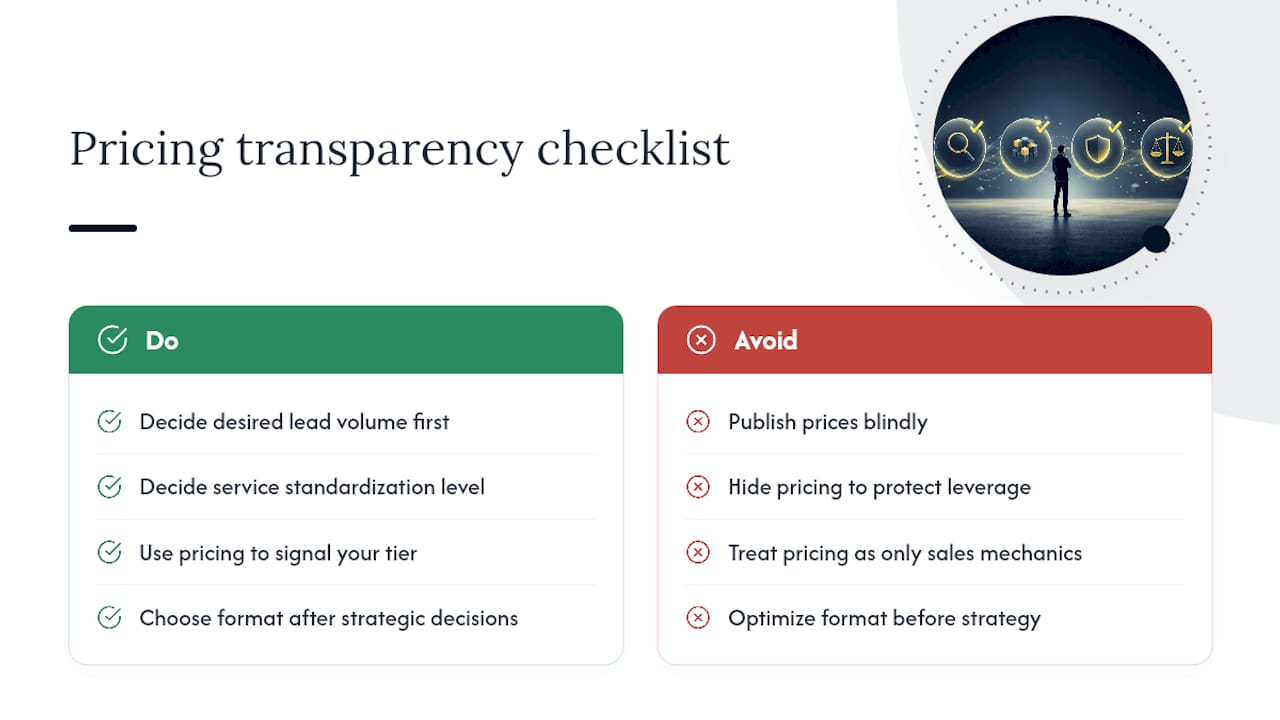
What gets underrated in this debate is how much a price functions as positioning, not just information. A published range doesn’t just filter budgets, it tells a visitor what tier of provider they’re looking at before they read a single testimonial. Businesses that treat pricing as purely a sales-mechanics question miss that signal entirely.
If you take one thing from this, prioritize the decision checklist over the display format. Getting the format right on a decision you shouldn’t have made in the first place doesn’t help you. Answer the lead volume and service standardization questions honestly first. The formatting choices, ranges versus packages versus “starting at,” matter far less than most pricing debates suggest.
— Fadly
Ready to Turn Pricing Clarity Into Right-Fit Enquiries
A homepage blueprint can make pricing clarity convert by mapping where proof, scope, and calls-to-action should be placed so the right prospects self-select instead of bouncing to a competitor.
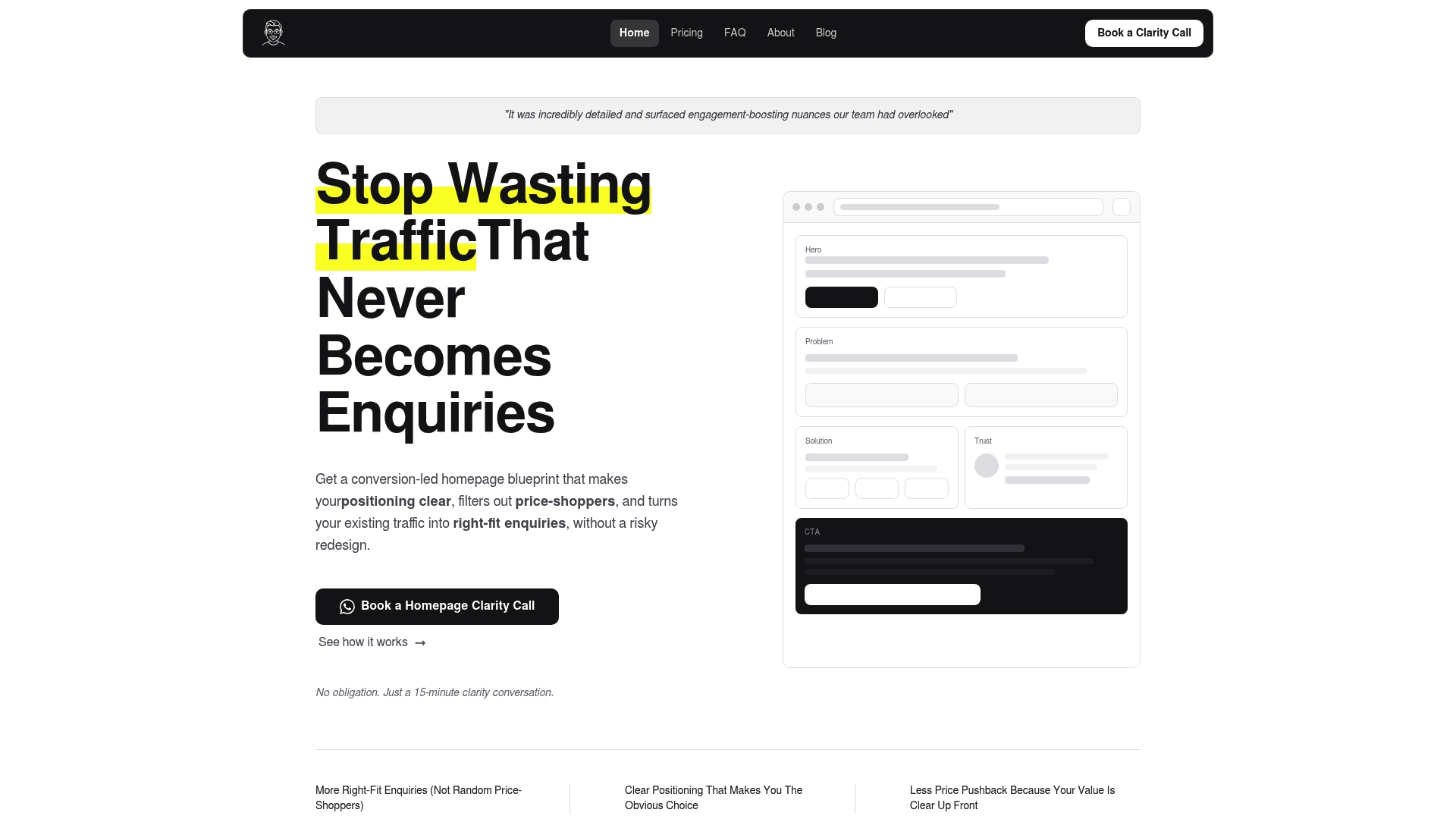
A free website review shows you the specific friction points sending qualified visitors away before they ever see your pricing, and the ROI calculator estimates what fixing those points could realistically be worth in new enquiries. If you’re ready for a structured plan rather than another guess, the homepage blueprint walks through exactly what to change, in what order, with a video walkthrough you can hand straight to your developer. Book a review this week and see where your homepage is actually losing right-fit leads.
Sources
- Prices: The Marketplace’s Communication System | St. Louis Fed
- Why showing prices on your website matters & how to do it | JDR Group
- Pricing | Stripe
Recommended

About the author
Thiam Hock is the founder of Hockworks, a Singapore-based digital advisory focused on clarity-driven websites. He works with service businesses to design websites that guide decisions, filter the right enquiries and reduce hesitation. His perspective centres on positioning, differentiation and how visitors actually make decisions in competitive markets.
Read more about Thiam Hock →